 1a3a254e26
Previously, on Linux and BSD, inhibiting the screensaver was handled
using the org.freedesktop.ScreenSaver D-Bus API. Unfortunately, this API
is not available in a Flatpak sandbox. (This is because there is a
desire to tie inhibit sessions to a specific app and visible window; but
the org.freedesktop.ScreenSaver API does not support this.)

As a result, when using the Flatpak build of the Godot Editor (or a
Flatpak-ed build of a game) and using a controller to play a game, the
session will become idle after a few minutes.

The XDG desktop portal -- which is already used for color-picking, file
choosing, and querying the system theme -- has an Inhibit interface that
provides a superset of the functionality of the
org.freedesktop.ScreenSaver API, and is available to any sandboxed app.

Refactor code for making XDG portal requests that was previously
duplicated for the FileChooser and ColorPicker portal code. Check the
portal version to determine whether these portals can be used:

- FileChooser portal version 3 is required due to the use of the
  "directory" parameter.

- On the Settings portal, the only addition in version 2 is the
  ReadOne() method which is not used here, so version 1 suffices.

- On the Screenshot portal, the only addition in version 2 is the
  "interactive" parameter to the Screenshot() method; this code only
  uses the PickColor() method, so version 1 suffices.

Then, add support for the Inhibit portal. Use it if available and if
running in a sandbox. Prefer to use org.freedesktop.ScreenSaver if not
running in a sandbox, even if the portal is available, because (at least
in the GNOME 43 implementation of the portal) it does not work correctly
if the portal cannot map the request to a running app. This adds a small
amount of complexity to the implementation, but supporting both APIs is
necessary anyway (there are many systems in the wild that support
org.freedesktop.ScreenSaver but not the desktop portal).

Fixes https://github.com/godotengine/godot/issues/108634


Godot Engine

2D and 3D cross-platform game engine
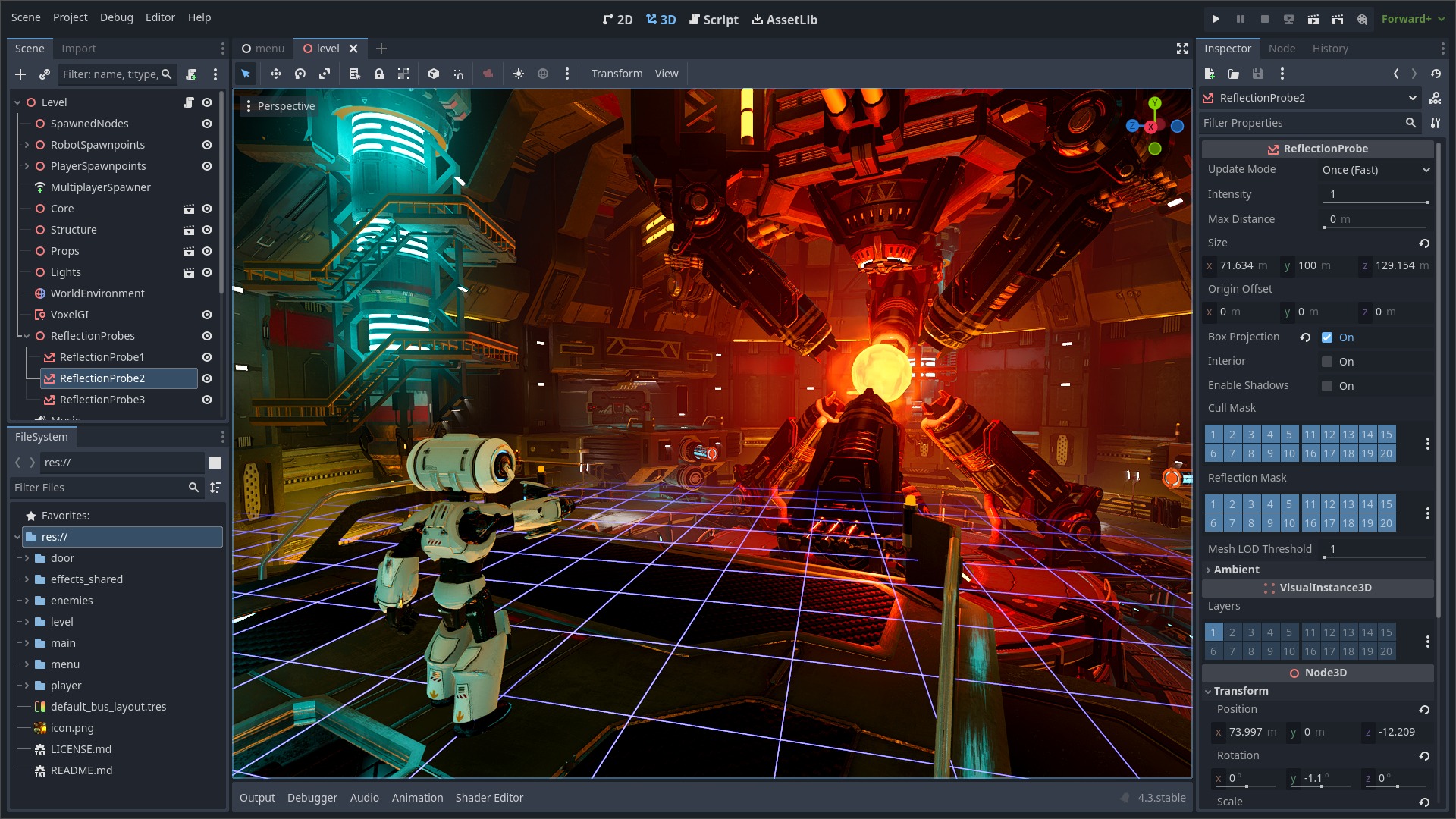
Godot Engine is a feature-packed, cross-platform game engine to create 2D and 3D games from a unified interface. It provides a comprehensive set of common tools, so that users can focus on making games without having to reinvent the wheel. Games can be exported with one click to a number of platforms, including the major desktop platforms (Linux, macOS, Windows), mobile platforms (Android, iOS), as well as Web-based platforms and consoles.
Free, open source and community-driven
Godot is completely free and open source under the very permissive MIT license. No strings attached, no royalties, nothing. The users' games are theirs, down to the last line of engine code. Godot's development is fully independent and community-driven, empowering users to help shape their engine to match their expectations. It is supported by the Godot Foundation not-for-profit.
Before being open sourced in February 2014, Godot had been developed by Juan Linietsky and Ariel Manzur (both still maintaining the project) for several years as an in-house engine, used to publish several work-for-hire titles.
Getting the engine
Binary downloads
Official binaries for the Godot editor and the export templates can be found on the Godot website.
Compiling from source
See the official docs for compilation instructions for every supported platform.
Community and contributing
Godot is not only an engine but an ever-growing community of users and engine developers. The main community channels are listed on the homepage.
The best way to get in touch with the core engine developers is to join the Godot Contributors Chat.
To get started contributing to the project, see the contributing guide. This document also includes guidelines for reporting bugs.
Documentation and demos
The official documentation is hosted on Read the Docs. It is maintained by the Godot community in its own GitHub repository.
The class reference is also accessible from the Godot editor.
We also maintain official demos in their own GitHub repository as well as a list of awesome Godot community resources.
There are also a number of other learning resources provided by the community, such as text and video tutorials, demos, etc. Consult the community channels for more information.

