mirror of
https://github.com/godotengine/godot-syntax-themes.git
synced 2026-01-04 02:10:28 +03:00
 41fd0f1c09
* Add JetBrains Dark syntax theme
* Revise colouring to match GDScript JetBrains plugin in PyCharm
85 lines
3.4 KiB
Markdown
85 lines
3.4 KiB
Markdown
# Godot syntax themes for Godot 4.x
|
|
|
|
|
|
|
|
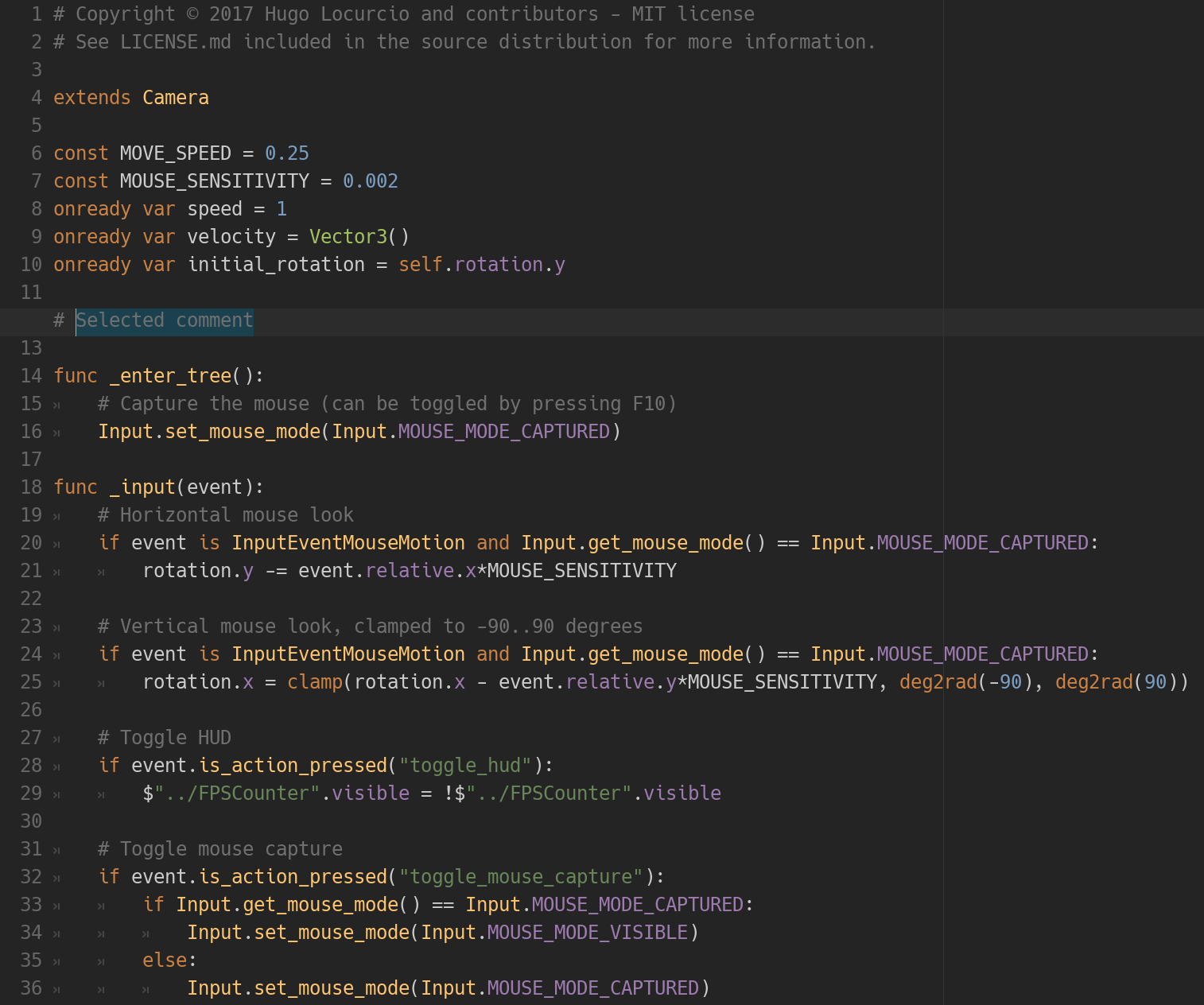
*The Darcula theme in action.*
|
|
|
|
This repository contains many syntax themes for Godot, for use in the built-in
|
|
script editor.
|
|
|
|
**This branch contains themes *only* compatible with Godot 4.x.**
|
|
These themes will not display correctly in Godot 3.x.
|
|
[Browse the `3.x` branch](https://github.com/godotengine/godot-syntax-themes/tree/3.x)
|
|
to find themes compatible with Godot 3.x.
|
|
|
|
*Want even more themes? Check out
|
|
[base16-godot](https://github.com/Calinou/base16-godot) for automatically
|
|
generated themes.*
|
|
|
|
## Available themes
|
|
|
|
**See [THEMES.md](/THEMES.md) for preview images.**
|
|
|
|
| Dark | Light |
|
|
|-------------------------|--------------------------|
|
|
| Apprentice | Catppuccin Latte |
|
|
| Atom Dark | Quiet Light |
|
|
| Ayu Mirage | Solarized Light |
|
|
| Catppuccin Frappé | Visual Studio Code Light |
|
|
| Catppuccin Macchiato | Xcode Light |
|
|
| Catppuccin Mocha | |
|
|
| Darcula | |
|
|
| DevCode | |
|
|
| Dracula | |
|
|
| Gruvbox Dark | |
|
|
| Horizon | |
|
|
| JetBrains Dark | |
|
|
| Kanagawa Dragon | |
|
|
| Kanagawa Wave | |
|
|
| Metro | |
|
|
| Monokai | |
|
|
| Nord | |
|
|
| One Dark | |
|
|
| One Monokai | |
|
|
| Solarized Dark | |
|
|
| Squid | |
|
|
| Visual Studio Code Dark | |
|
|
| Xcode Dark | |
|
|
|
|
## Installation
|
|
|
|
Place the `.tet` files in your Godot text editor theme directory:
|
|
|
|
- On Linux: `~/.config/godot/text_editor_themes/`
|
|
- On macOS: `~/Library/Application Support/Godot/text_editor_themes/`
|
|
- On Windows: `%APPDATA%\Godot\text_editor_themes\`
|
|
|
|
**Note:** If you installed Godot using Steam, your Godot text editor theme
|
|
folder should be placed in `steamapps/common/Godot Engine/editor_data/text_editor_themes/`
|
|
in your Steam installation folder.
|
|
|
|
To change the theme, open a project in the editor, click on **Editor** in the
|
|
top menu, then go to the **Editor Settings** then **Text Editor**. You should
|
|
now be able to choose the desired theme.
|
|
|
|
**Tip:** You can clone this Git repository directly into the text editor themes
|
|
path (if the destination folder does not exist) using the following command:
|
|
|
|
```bash
|
|
# On Linux:
|
|
git clone https://github.com/godotengine/godot-syntax-themes.git ~/.config/godot/text_editor_themes
|
|
|
|
# On macOS:
|
|
git clone https://github.com/godotengine/godot-syntax-themes.git "~/Library/Application Support/Godot/text_editor_themes"
|
|
|
|
# On Windows:
|
|
git clone https://github.com/godotengine/godot-syntax-themes.git "%APPDATA%\Godot\text_editor_themes"
|
|
```
|
|
|
|
## License
|
|
|
|
Copyright © 2016-present Hugo Locurcio and contributors
|
|
|
|
Files in this repository are licensed under CC0 1.0 Universal,
|
|
see [LICENSE.md](/LICENSE.md) for more information.
|